
School code sign-up
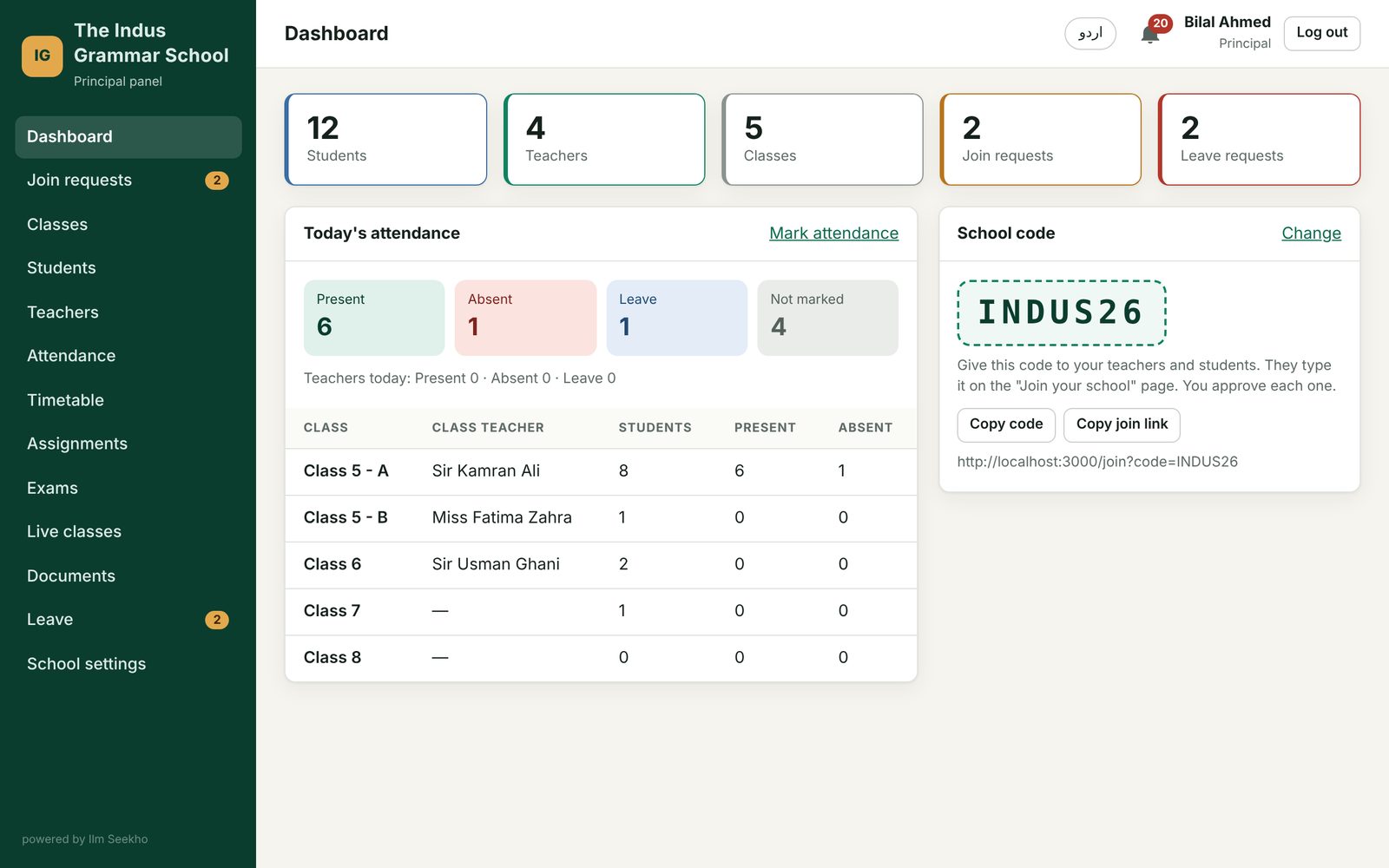
You choose a code like INDUS26. Teachers and students join with it, and nobody gets in until you approve.
علم سیکھو، آگے بڑھو
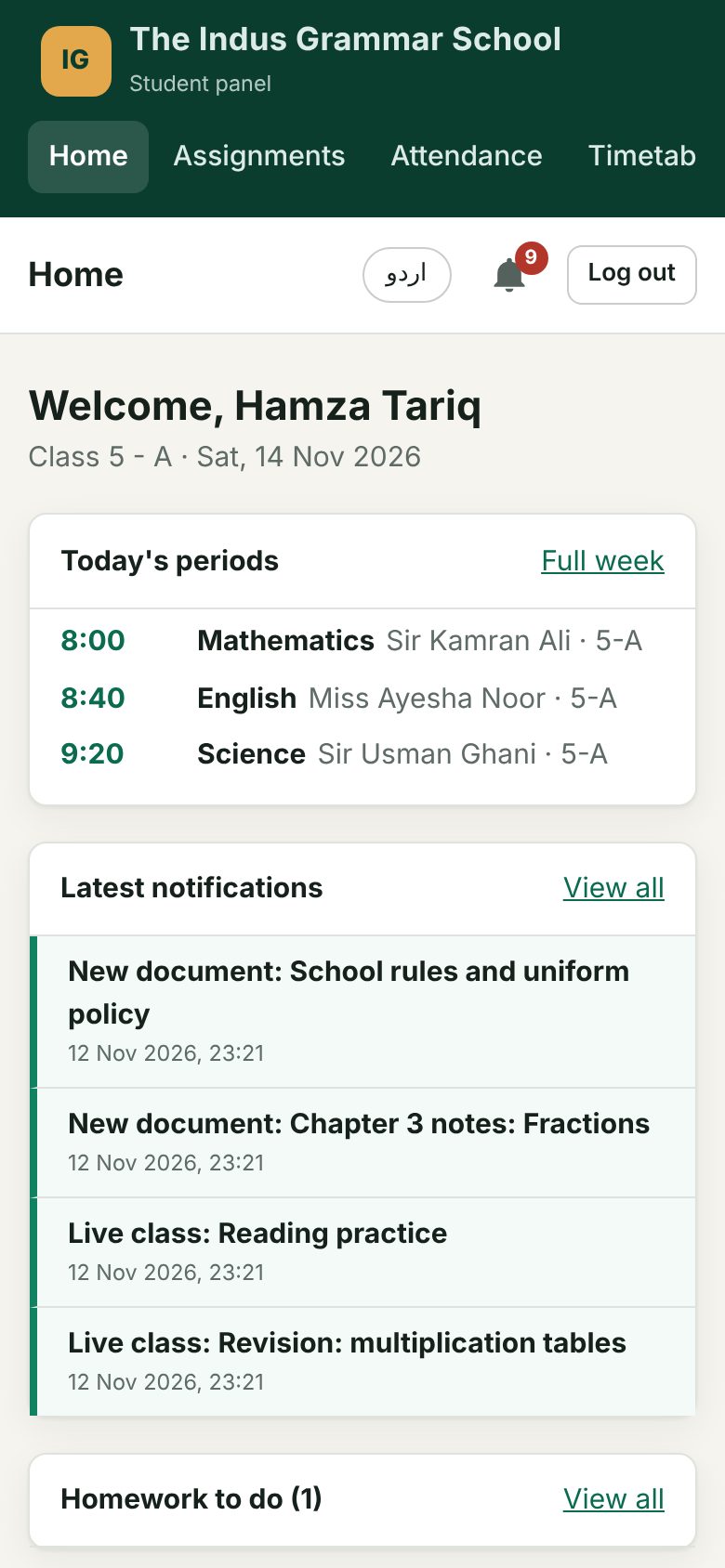
Attendance, timetable, homework, exams and live classes for principals, teachers and students. Teachers save hours, students never miss homework, and the principal sees everything from one screen.
پورا اسکول، ایک ایپ میں
A 36-second introduction with Urdu voice-over.
دیکھیں اور سیکھیں
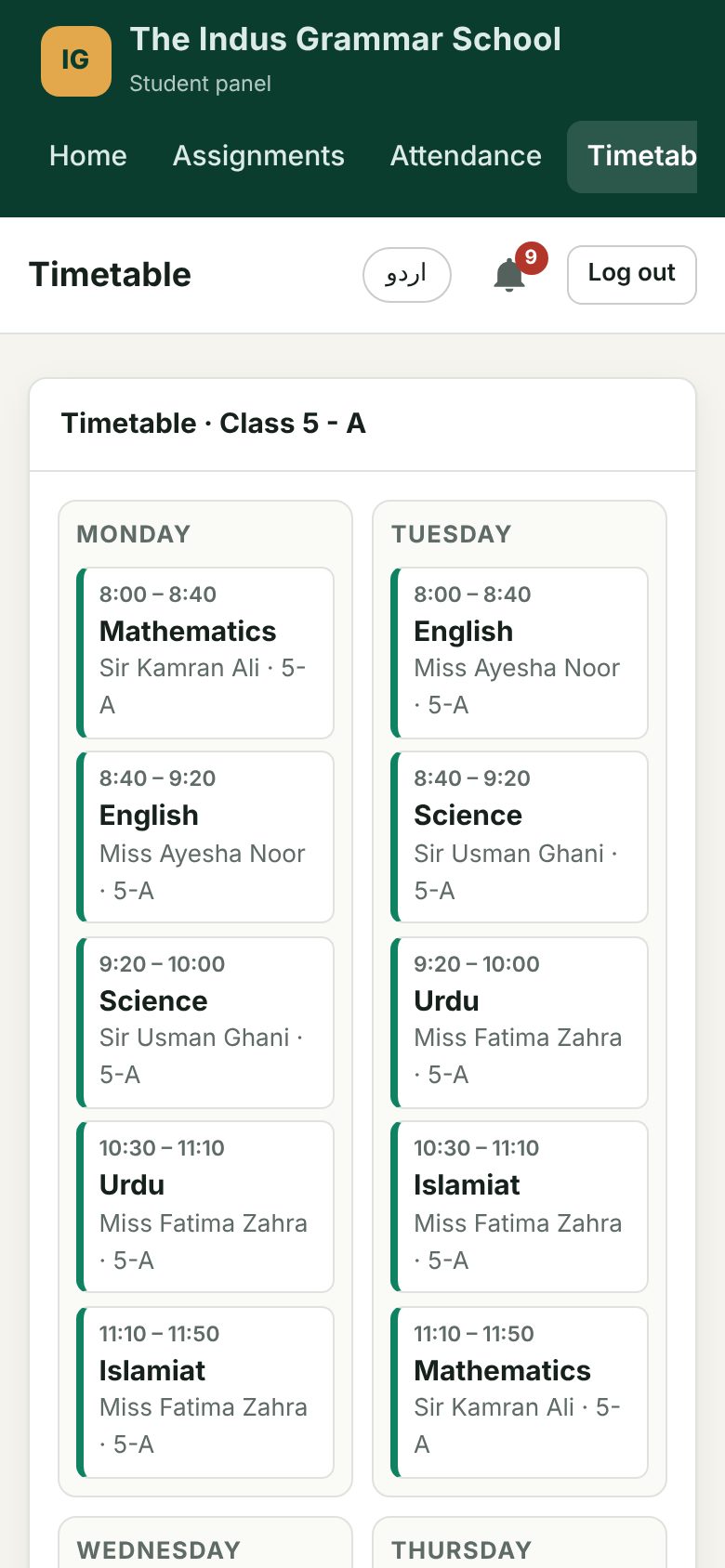
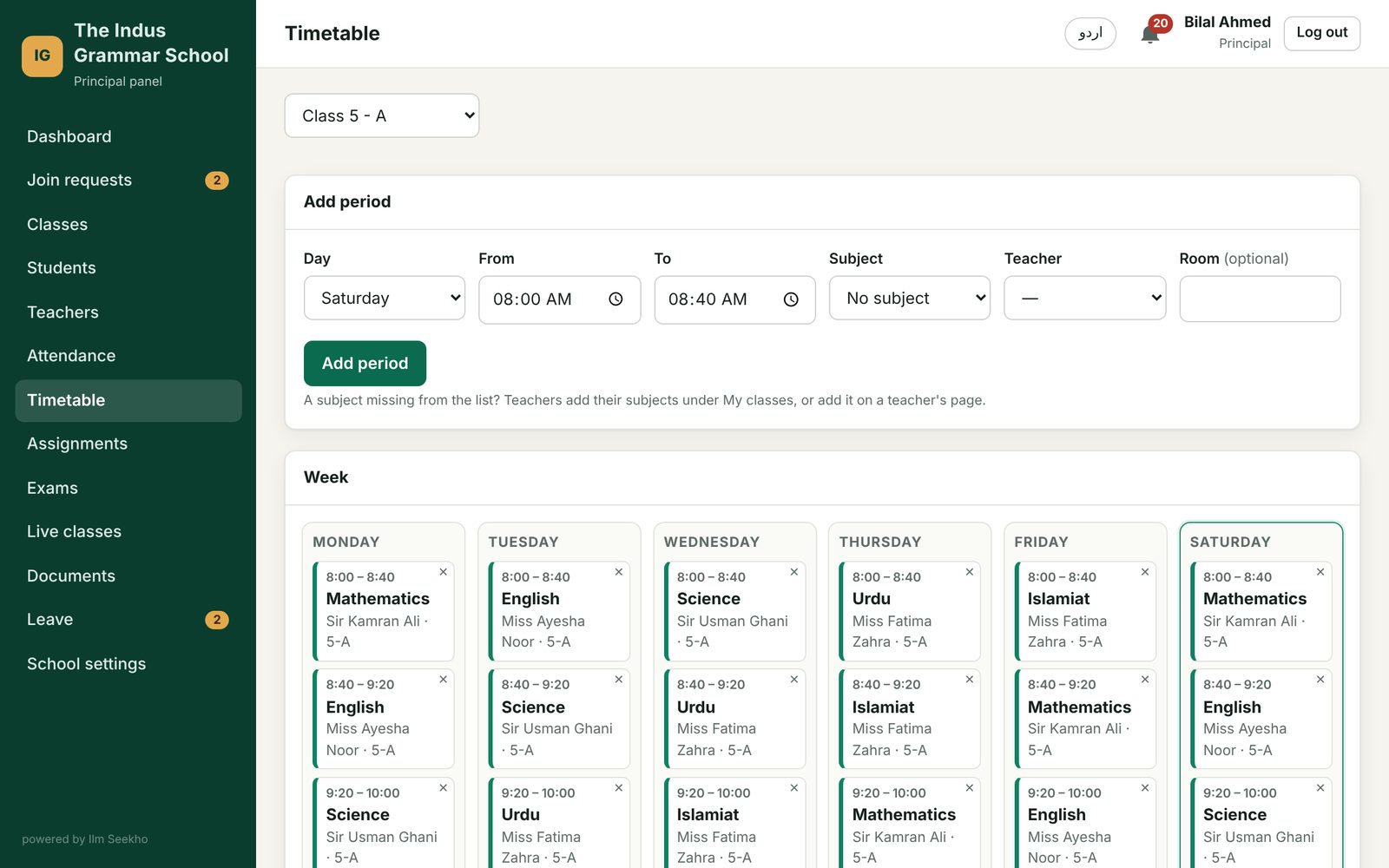
Real screens of the app. Pick who you are.
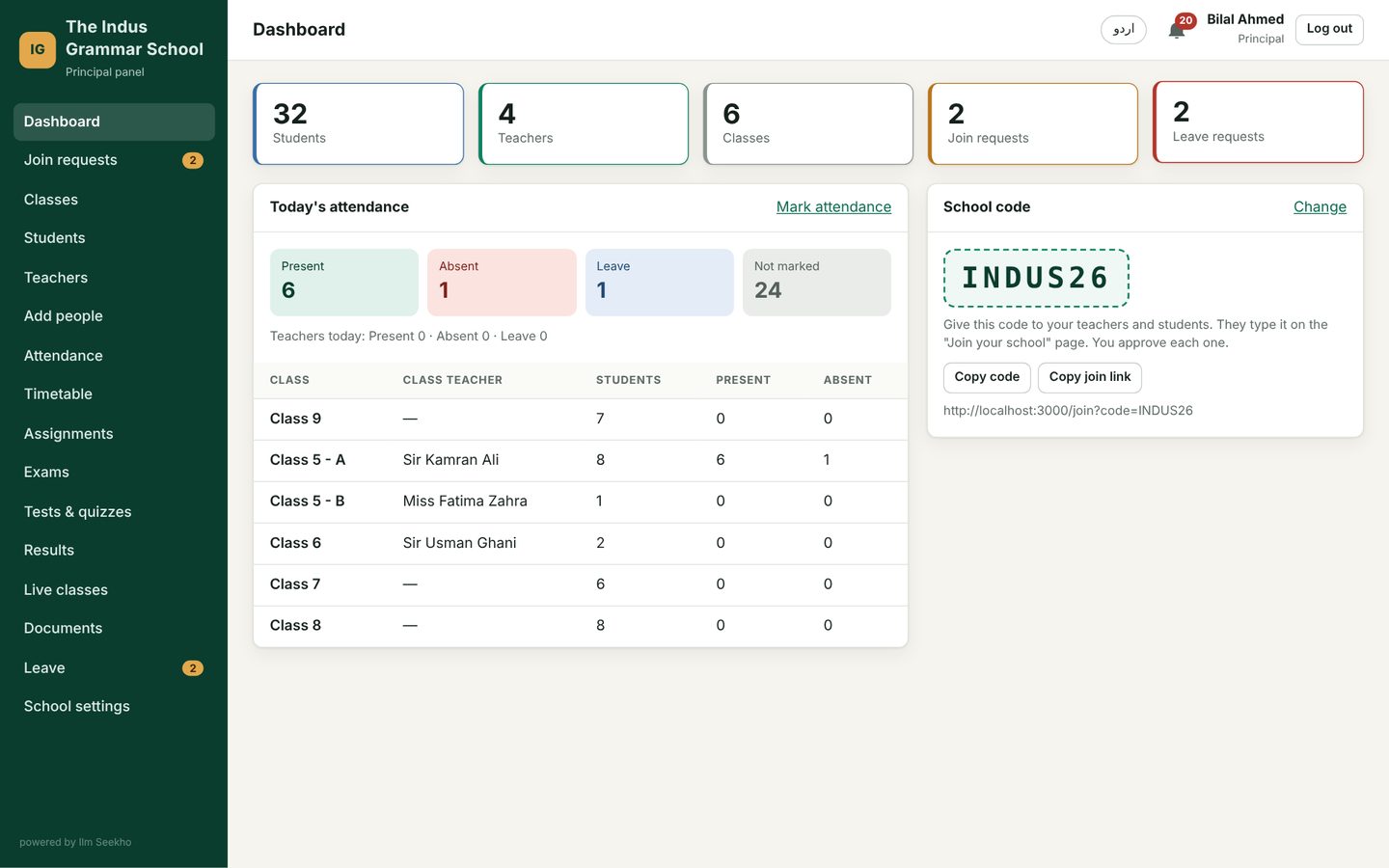
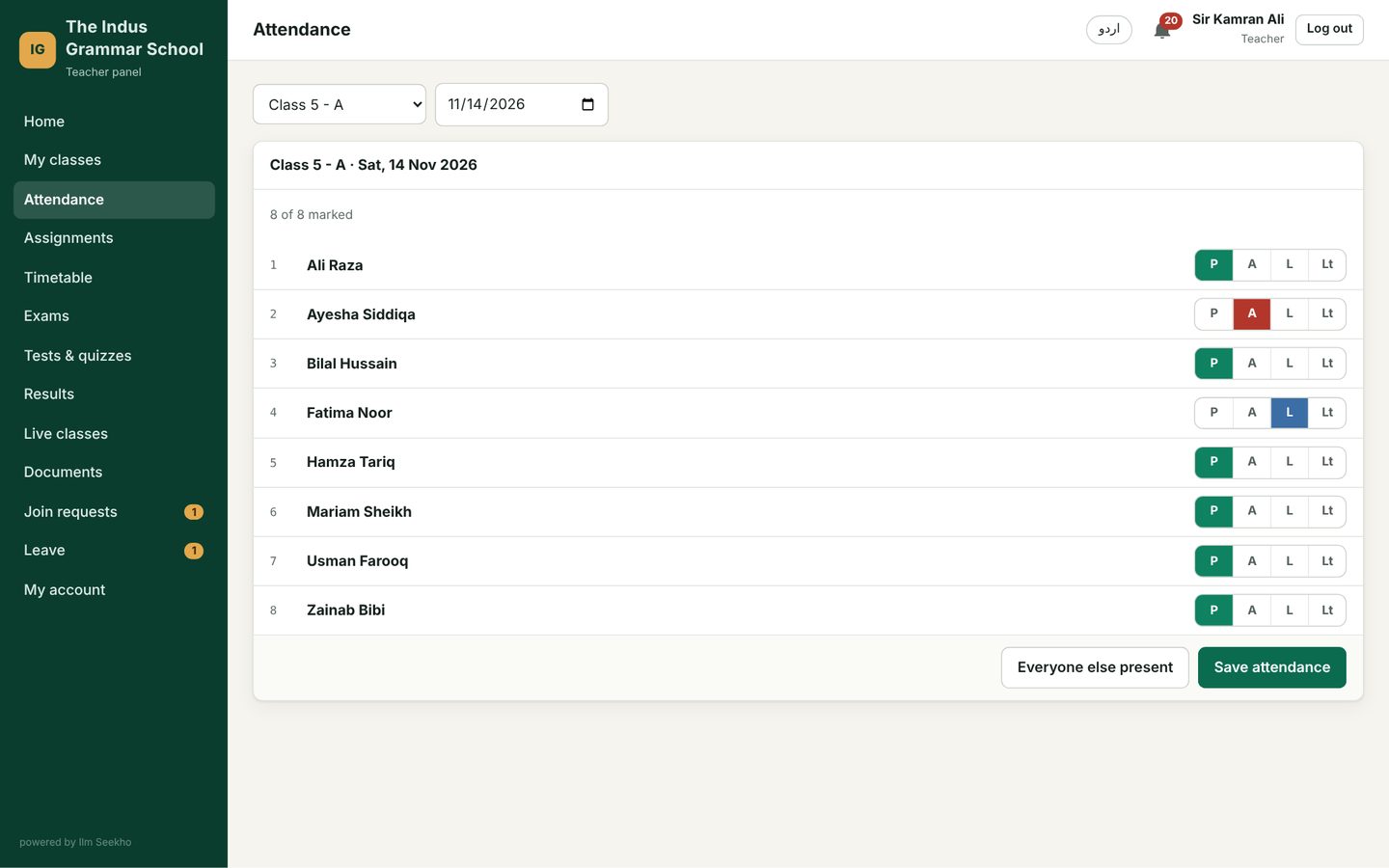
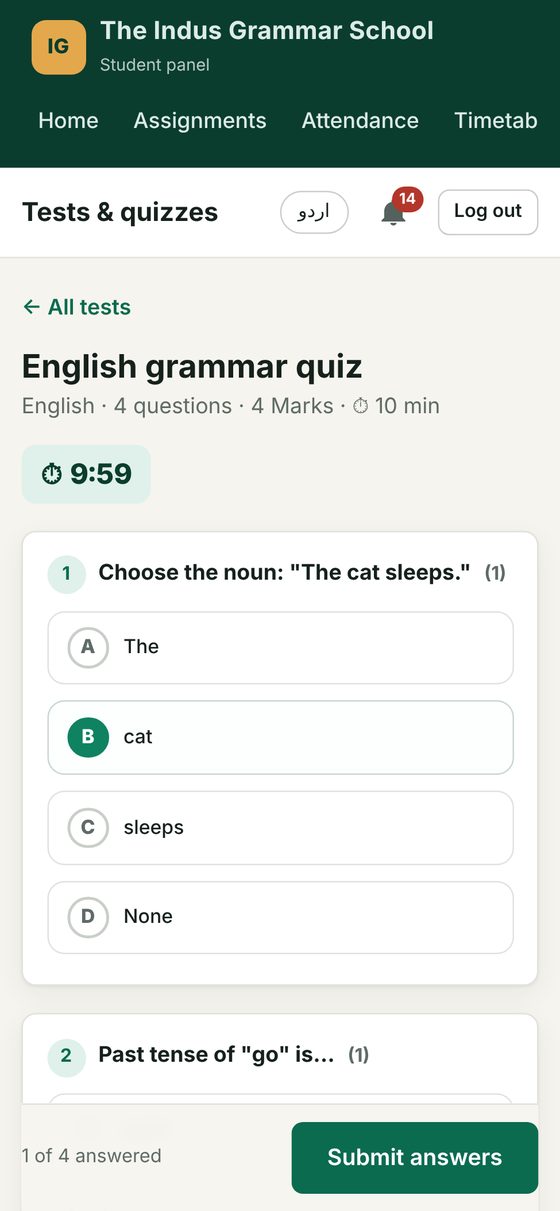
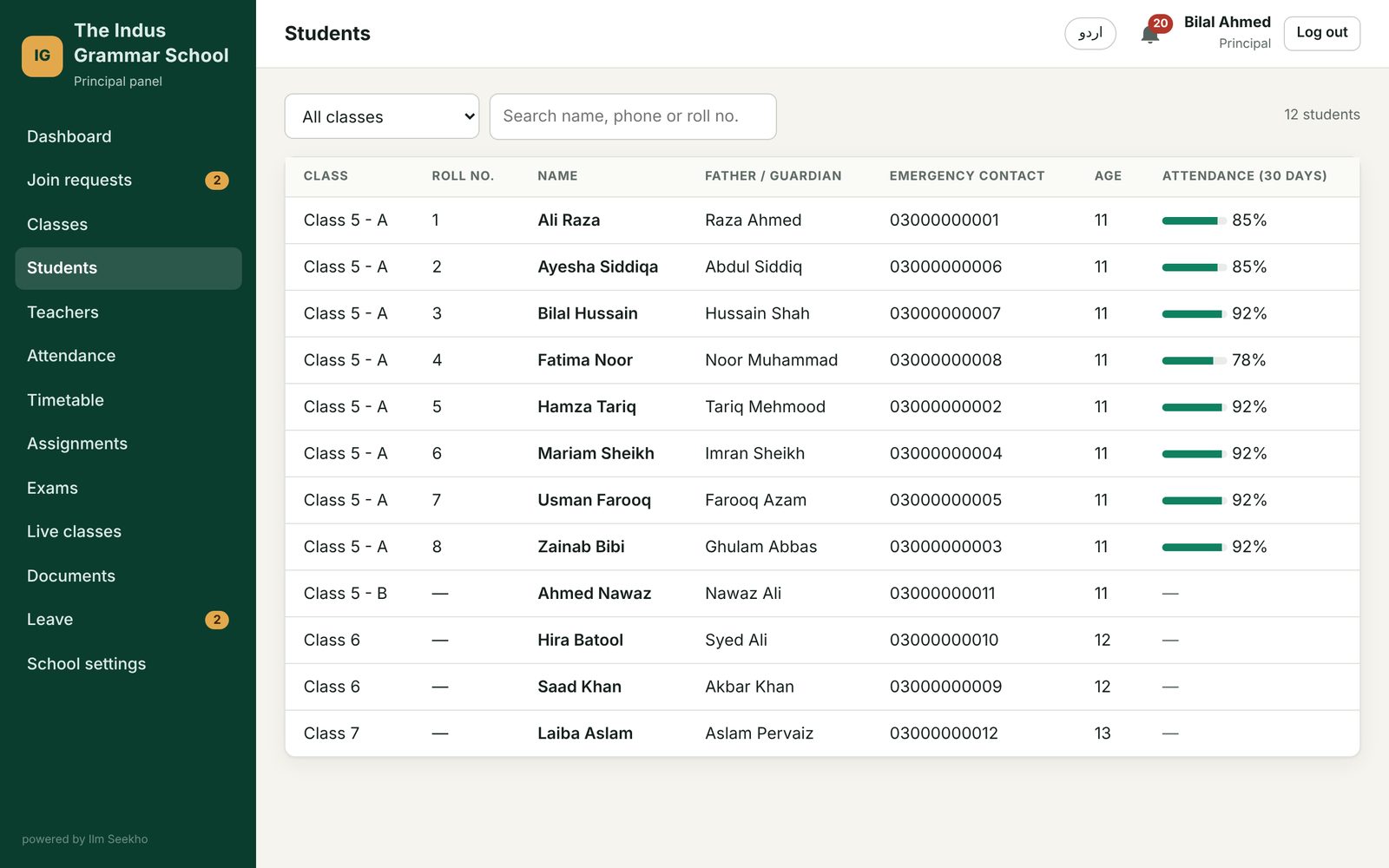
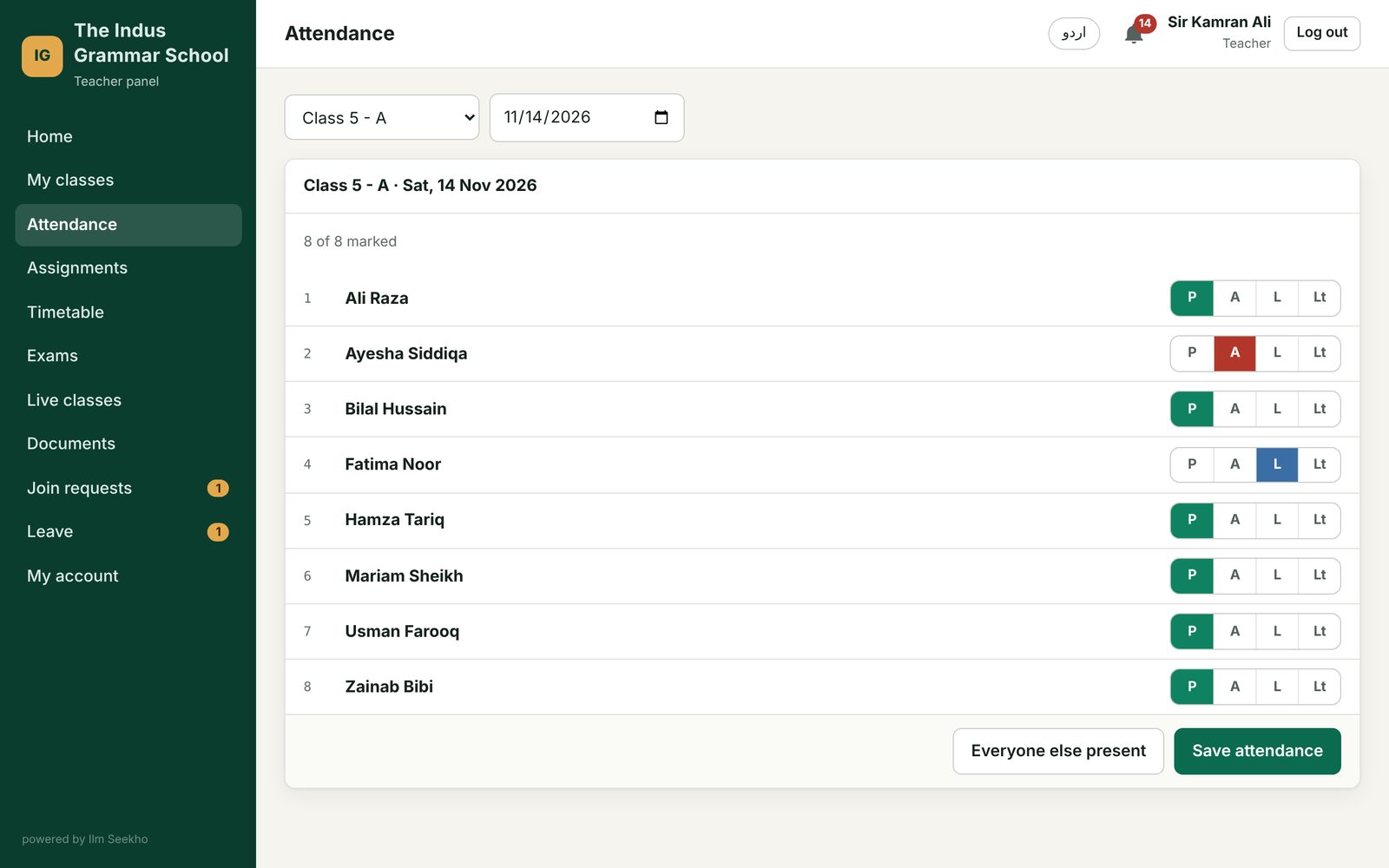
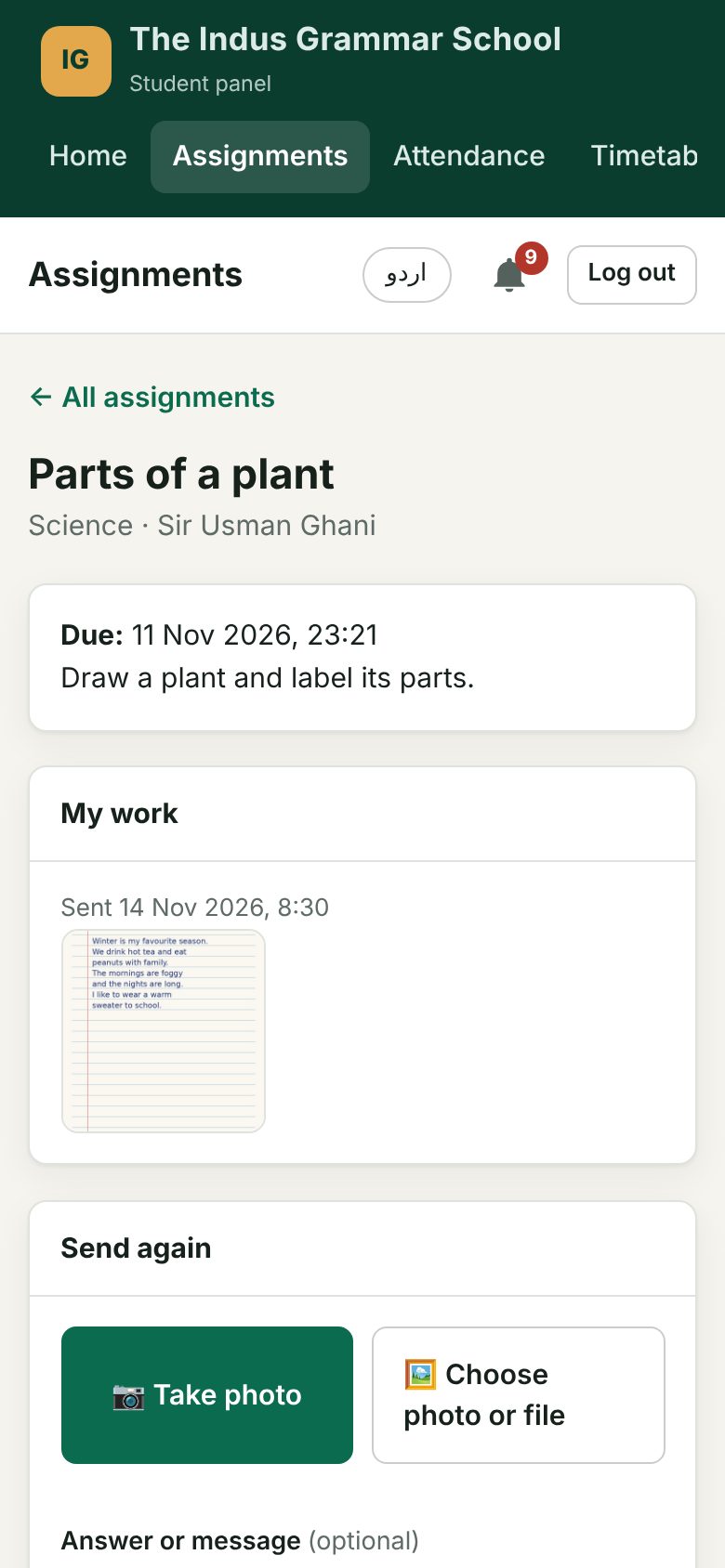
Choose a role to see what changes.
روز کے سارے کام، ایک جگہ
You choose a code like INDUS26. Teachers and students join with it, and nobody gets in until you approve.
Present, absent, leave or late in one tap. Student and teacher attendance, with a 30-day percentage for every child.
Periods for every class and teacher. Clashes are caught before they happen.
Students take a photo of their notebook and send it. Teachers see it, grade it and add remarks.
Send the date sheet for mid-terms and finals to one class. It stays on every student's phone.
Paste a Google Meet or Zoom link, or get a free video room. Students get a notification and a Join button.
Share notes, worksheets and circulars with a class or the whole school.
Students ask for leave in the app; teachers approve with one tap and it shows in attendance.
Everyone who logs in sees your school's own name, in English or Urdu.
Download the template, fill in all your teachers or students, upload it. Every account and password is made for you, with a report of any mistakes.
Teachers make a test with multiple-choice questions. Students take it on the phone and see their score at once.
Enter marks for every exam. Students see their results and progress; the principal sees the whole class.
پاکستان میں بنا، پاکستانی اسکولوں کے لیے
Built around how our schools really work: phones before computers, Urdu next to English, and support you can call.
Every screen is made for a small phone and a mobile data package.
Switch language with one tap. Urdu reads right to left, as it should.
Add it to the home screen from the browser. No Play Store needed.
If something breaks on any screen, our team is told at once and fixes it.
One short form: school name, city and your school code. We approve it the same day.
Upload one Excel file and every account is made for you, or share your school code so teachers and students sign up and you approve them.
Attendance in the morning, homework after class. We train your teachers on day one.
ہر اسکول کے لیے مناسب پلان
Pay by the size of your institution. Every plan has all the features and free training.
Academies and tuition centres
Schools and colleges
Large schools, chains, universities
اکثر پوچھے جانے والے سوال
Ilm Seekho is a school management system and learning app. The principal, teachers and students each get their own panel for attendance, timetable, homework, exams, live classes and notices.
Yes. It opens in any phone browser and can be added to the home screen like an app. Students can send homework as a photo straight from the camera.
The principal does. Either upload an Excel file with all teachers or students and Ilm Seekho makes every account and password, or share your school code: teachers and students sign up themselves and you approve each one.
No. Teachers and students can log in with their mobile number. If someone forgets the password, the principal can give a new one.
Yes. Marking attendance and giving homework take a few taps. We train your teachers when you start, in Urdu or English.
Every school's data is kept apart inside the database itself, so one school can never see another's. Passwords are stored scrambled and logins are protected.
Yes. Any institution with classes, teachers and students can use it, from a tuition centre to a college.
Plans are monthly and depend on the size of your school. Book a free demo and we will send a price for your school.
اپنا اسکول آج ہی آن لائن کریں
Book a free 15-minute demo. We set up a trial school with your name so your teachers can try it.
ہم سے رابطہ کریں
Tell us about your institution. We reply the same day and set up a trial school with your name.